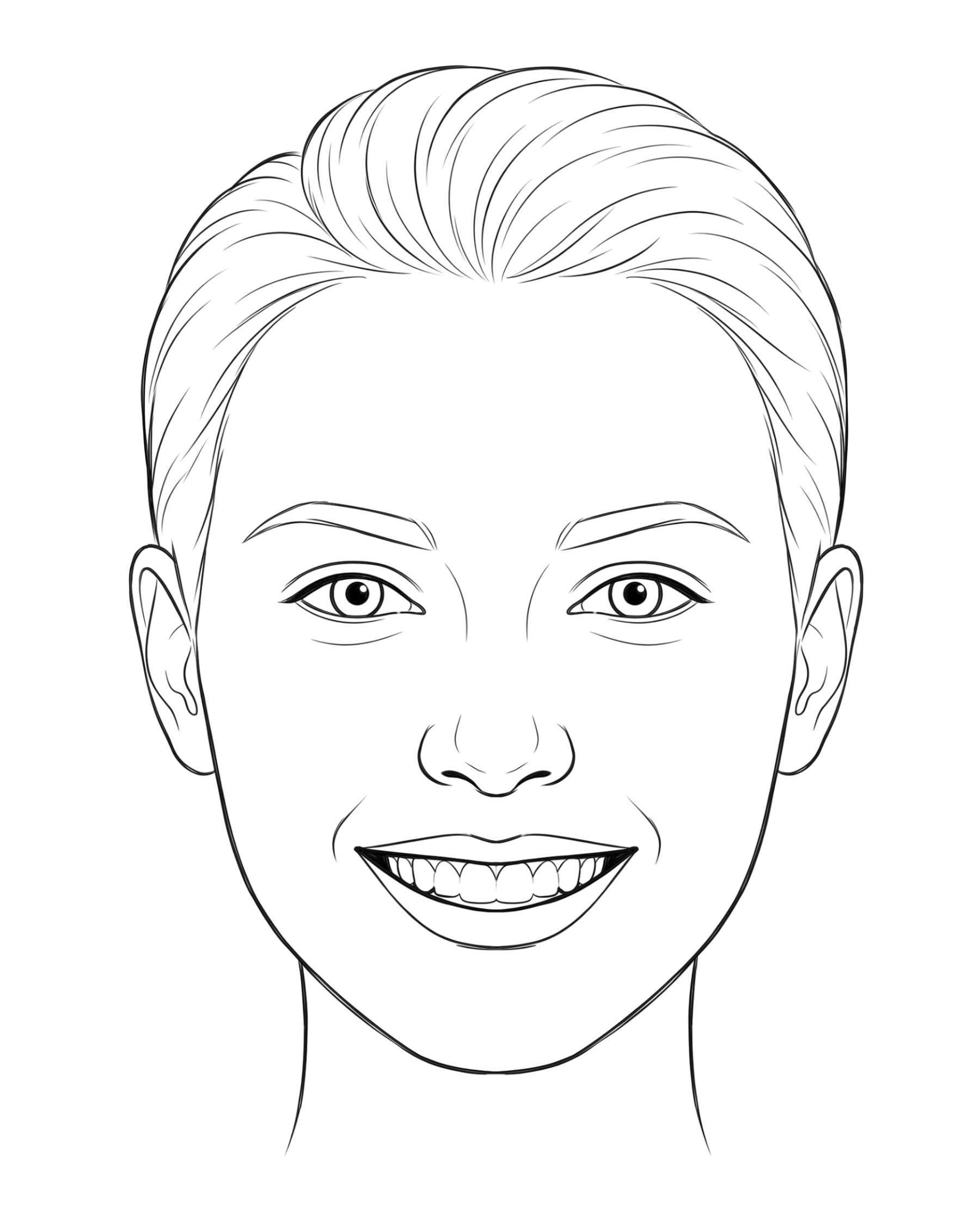
- 1Pinch out to enlarge the photo until the lips and teeth fill the center of the screen. Use the center line and guide lines to keep the nose and mouth aligned.
- 2Use Image mode to center the nose and mouth, then tap Finger.
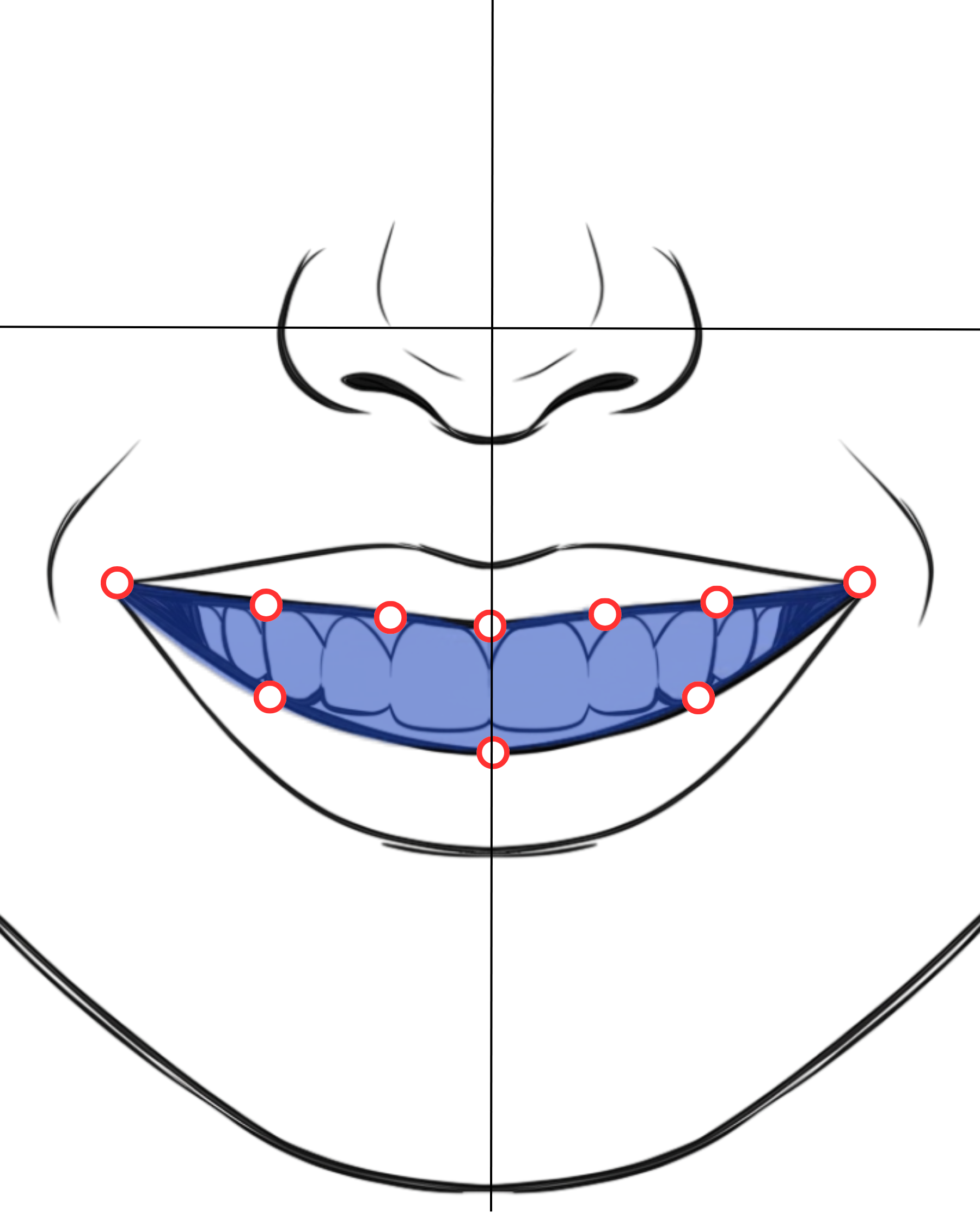
- 3Place 10 points around the inner lip line and adjust the shape. A helpful pattern is 7 points on the upper lip edge and 3 points on the lower lip edge.
- 4Tap the filled area. The selected area will brighten, and the inside-mouth layer will be separated so the new teeth can sit behind the lips.
For cosmetic visualization only
Design the smile you want to discuss.
Try shapes, shades, and coverage options on your own photo. Your image stays on this device unless you export it.

Private dental reference
Design your teeth before the dentist.
Bring a clear visual reference to your consultation.
 D I M I R